Workflow · the free habit
Room tone for screencasts: the thirty seconds almost nobody records
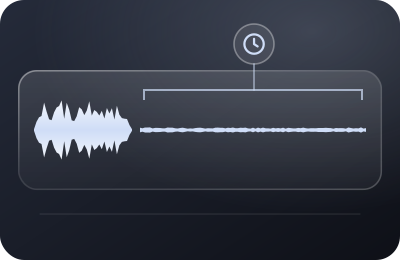
Film crews have captured it for a century; screencasters have mostly never heard of it. Room tone is a short recording of your space saying nothing — and it's the difference between edits that breathe and edits that click. It costs thirty seconds and zero dollars, which may be why nobody sells it to you.
What room tone actually is
Every room has a sound when nothing is happening: the specific blend of air, electronics, distant building life, and the microphone's own gentle self-noise, all shaped by whatever processing your chain applies. That sound — not silence, but your silence — is room tone. It's what sits underneath your voice in every take you record, in the gaps between your words, inside your pauses. Your listeners have never consciously heard it. Their ears track it constantly anyway.
And that's precisely why edits betray themselves. Cut a sentence out of your narration and butt the neighbors together, and the underlying tone jumps mid-stream. Paste in digital silence to cover a gap and the background vanishes entirely for half a second — a tiny sensory pothole. Ears that couldn't describe room tone in a thousand years will still flag its absence instantly as "something happened there." The fix is having a supply of the real thing to lay under every seam. That supply is what you're recording.
The capture ritual (it's almost embarrassingly simple)
- At the end of every narration session, before you stop the recorder: say "room tone" once — so future-you can find it — then sit still and silent for thirty seconds. Hands off the desk, breathing soft, no mouse. That's the entire technique.
- Same everything as the take. Same mic, same input gain, same chair position, same recorder — and critically, same processing chain. Tone captured through a different path than your voice is a color-matched paint from a different brand: close, and visibly wrong.
- Every session, not once ever. Your room's silence changes with weather, season, appliance cycles and time of day. Monday-morning tone under Thursday-evening narration won't match. The thirty seconds are per-session dues, not a one-time deposit.
- Keep it in the same file. Don't record tone as a separate clip you'll lose; let it live at the tail of the session recording where it can never be misplaced or mismatched. (One more argument for the one-file, keep-rolling method.)
The suppression-era wrinkle
Here's the modern twist this page exists for: if you record through live noise suppression — OBS's filter, or a layer like Krisp under your recorder — your takes don't sit on natural room sound; they sit on processed room sound, a distinctive near-silence with its own faint texture. Digital zero doesn't match it. Your unprocessed room doesn't match it either. The only thing that matches suppressed tone is suppressed tone — so the thirty seconds must be captured with the suppression running, exactly as your voice was. People assume noise removal makes room tone obsolete; it actually makes the same-chain rule non-negotiable.
- Digital zeroa hard drop to nothing
- Your unprocessed roomthe noise the take never had
- Tone through the same chainthe faint texture your pauses already carry
What room tone is for — and the thing it isn't
To be used, tone just needs to exist on your narration track's timeline: editors (including future-you) slide it under cuts, stretch it beneath re-spoken sentences from punch-ins, and let pauses sit on it instead of on nothing. The mechanics differ per editing tool and we leave those tutorials to the editing specialists — the recording side's whole job is making sure the material exists, matches, and is easy to find.
One disambiguation, because the terms collide: some cleanup tools ask you to select a stretch of "just noise" so they can learn what to subtract from a recording — a repair technique that happens to also want your silence. That is a different craft with a different purpose (and its own specialist guides). Room tone as this page means it isn't for removing anything; it's continuity material, the acoustic equivalent of shooting extra footage of the empty set. If you record it faithfully, it serves both futures anyway.
Objections, answered at desk speed
- "My noise suppression makes the background silent anyway."
- Near-silent, with a texture — see the wrinkle above. And your pauses inside the take carry that texture; your edits need to match it, not approximate it with zeros.
- "I don't edit my screencasts."
- Today. The walkthrough that becomes Lesson 4.2 next quarter gets edited — and tone is the one thing you can't retroactively capture, because the room will have moved on. Thirty seconds is cheap insurance on every recording's future.
- "Can't I just reuse one good tone file?"
- Within the same session, absolutely — that's the point. Across sessions, it drifts: gain changes, seasons change, the refrigerator's mood changes. Per-session capture is what keeps the trick invisible.
- "Is thirty seconds really necessary?"
- Ten works in a pinch; thirty gives an editor room to loop without audible repeats, and it's short enough that the honest answer to "why not?" is: there isn't one.
The desk's framing
We put room tone on the free-forever shelf next to OBS's suppression filter: recommendations that pay us nothing and pay you every session. It's also the perfect miniature of this site's whole argument — a recording-side habit, executed in seconds while the recorder is already rolling, that eliminates a category of downstream repair work entirely. Get the room out of your file with the signal-chain guide; keep thirty seconds of what remains. That pairing closes the loop.
It's the +1 — the closer, taken after you stop — on the pre-REC checklist.